Safe Access Database Repair Process – Secure Access File Recovery

SysTools Access Recovery software will not harm your data in any way and will not allow any malicious elements to enter onto your system.

Why to use SysTools Access Recovery Software? Some important advantages regarding the use of our tool are given below:

    Data Safety: Our tool will not harm your data at all. While performing its function, it keeps your data safe and recovers it without any alterations.
    Evidence of Contended Clients: You can read our client testimonials on our site to know how satisfied our customers are.
    Bank upon Us: The reliability of SysTools products is corroborated by the fact that many users entrust us for data recovery. To perform Access file recovery, you can trust us.
    Fine Recovery: To repair Access database file, we endow you our tool with advanced and high technical skills to perform corrupt Access database repair quickly.
    Pleasing Price: This Access Database Repair tool is a cost-effective tool, which will not affect your pocket much.
    Proficiency: We have affable staff of software engineers that develop advanced tools for your need. We have proficient team of support professionals to solve your queries regarding Access file recovery process.
    Versions Support: It supports almost all the Access versions (97, 2002, 2003, 2007)

Errors Can Flash at the Time of Access Database Corruption: You probably come across various error messages while opening corrupted Access MDB files. Some of the most common error messages that you might come across when corruption occurs in MS Access are given below:

    Unrecognized Database Format.
    The Microsoft Jet Engine cannot open this file.
    Enter database password - even though none was set up.
    [database.mdb] isn't an Index in this table. Look in the index collection of the TableDef object to determine the valid index names.
    You do not have the necessary permissions to open this object. Please contact your system administrator.
    The Microsoft Jet database engine stopped the process because you and another user are attempting to change the same data at the same time.

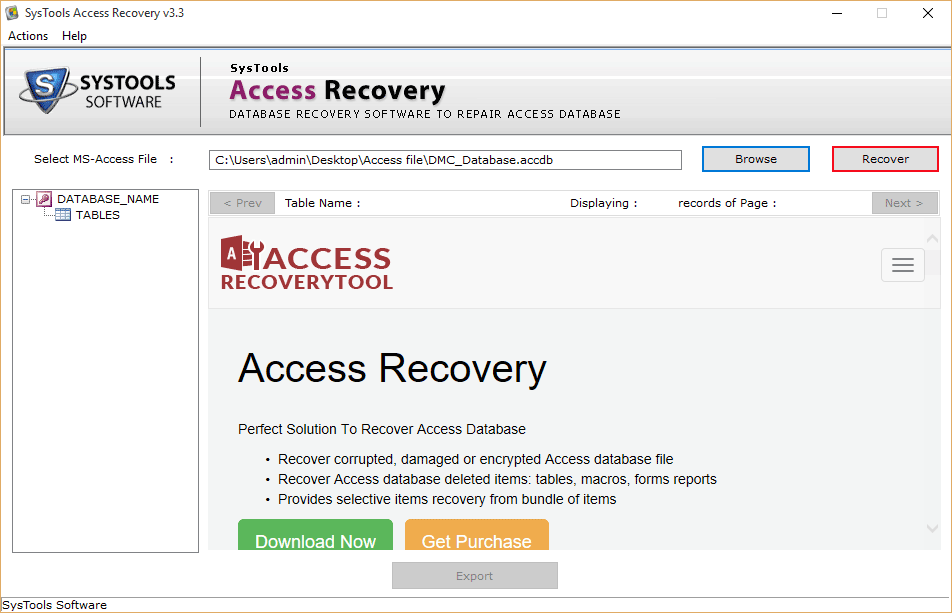
Help from Outside Tool to Restore Access File: SysTools Access Recovery software is a third-party tool that you can use to perform Access file recovery in a short period of time. You can trust on it to carry out Access database repair program. Our tool can recover macros & modules of Access database files. This tool can be helpful for corrupt Access database repair.

Features of SysTools Access Recovery Software: There are several useful features of our tool given below:

    It can help you restore MDB files of MS Access Database application.
    It can also help you repair MDE files of MS Access. However, for this, you have to import those MDE files explicitly.
    It can help you quickly recover MDB file tables and data in exact shape without any alterations.
    It can help you recover password protected MS Access files.
    It can help you preview the recovered items before saving them onto your machine.
    It can help you recover primary keys & unique keys also.
    Our tool also supports Windows OS versions (98, ME, NT, 2000, XP, 2003 and Windows 7.

Download SysTools Access Database Repair Software

FREE Demo Version – Access File Recovery Process Trial: You can try FREE Demo Version of SysTools Access Recovery software, which is available absolutely free of cost. You can download this software online so that you can evaluate its working before investing on this tool. Free demo version facility can be availed to see Access database repair process in front of your eyes. Also, you can preview the recovered items.

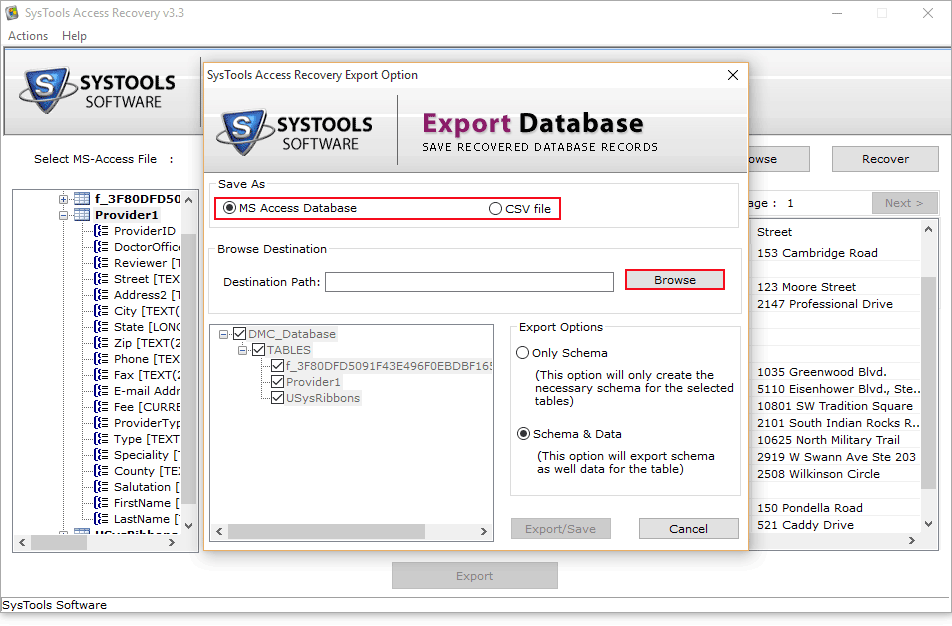
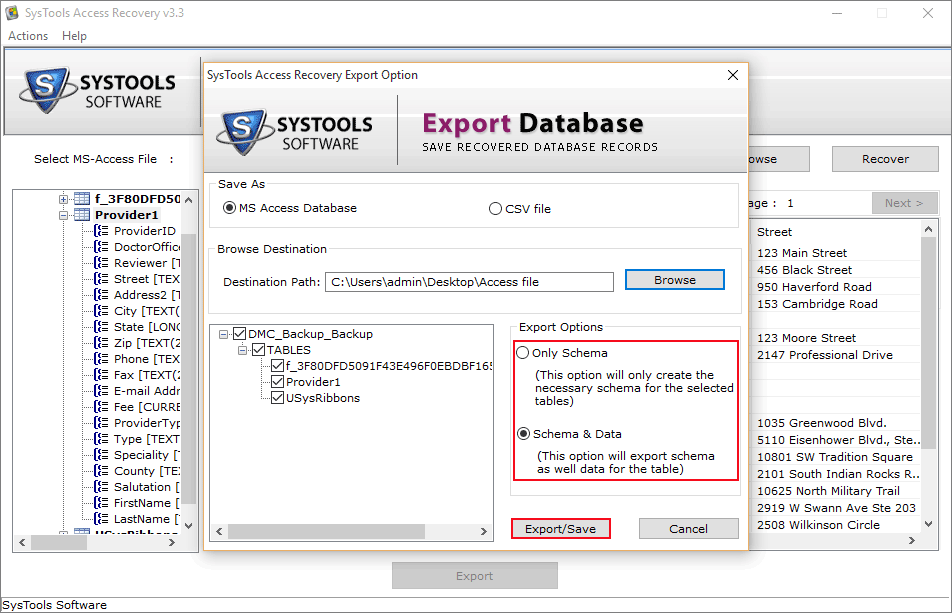
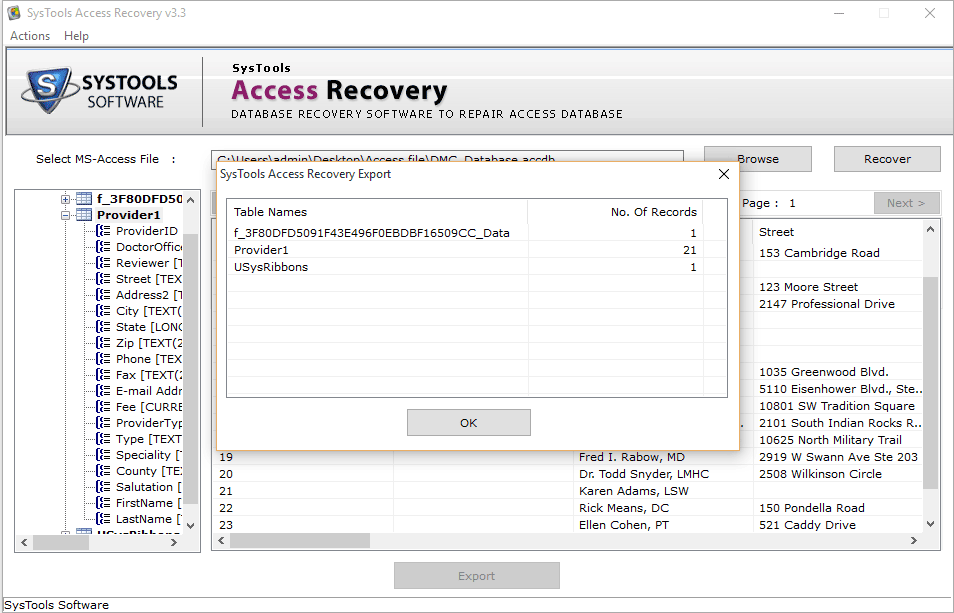
Full Licensed Version for Complete Access File Recovery: Rely on this recovery tool for complete Access database repair. You can buy SysTools Access Recovery software in full mode to perform full Access database repair process. Full Licensed version of our tool can help you preview recovered items and then to save the recovered items to your system and.

Chat with Our Experts